

Skip Navigation

Your Listings Are About to Get a Powerful Upgrade

It’s here! As of today, Roomvo is live on SCWMLS listings, adding a dynamic, interactive experience that helps buyers connect with your properties in a whole new way.

Roomvo lets shoppers instantly reimagine rooms by exploring different flooring, wall colors, and finishes — all directly within listing photos. With just a click, buyers can move beyond what is and start visualizing what could be. That moment of inspiration helps them picture a house as their future home, building excitement and confidence early in their search.

How this supports you and your business:

  • Encourages deeper listing exploration – Buyers spend more time interacting with properties in a meaningful way
  • Builds stronger emotional connection – Visualization helps turn interest into real excitement
  • Works wherever your clients are – A smooth experience across mobile, tablet, and desktop
  • Enhances your listing value – A built-in feature that helps highlight possibilities and strengthen listing presentations

By helping buyers imagine spaces styled their way, Roomvo opens the door to more confident decisions and more productive conversations.

“At SCWMLS, we’re always looking for ways to give our members a meaningful edge in how they market homes and serve clients. Our integration with Roomvo brings powerful visualization tools directly into the MLS experience, helping agents showcase listings in a more engaging, modern way. This partnership reflects our commitment to innovation that’s practical, intuitive, and designed to help our members win in an increasingly digital marketplace.”

– Lisa Marshall, CEO RASCW/SCWMLS
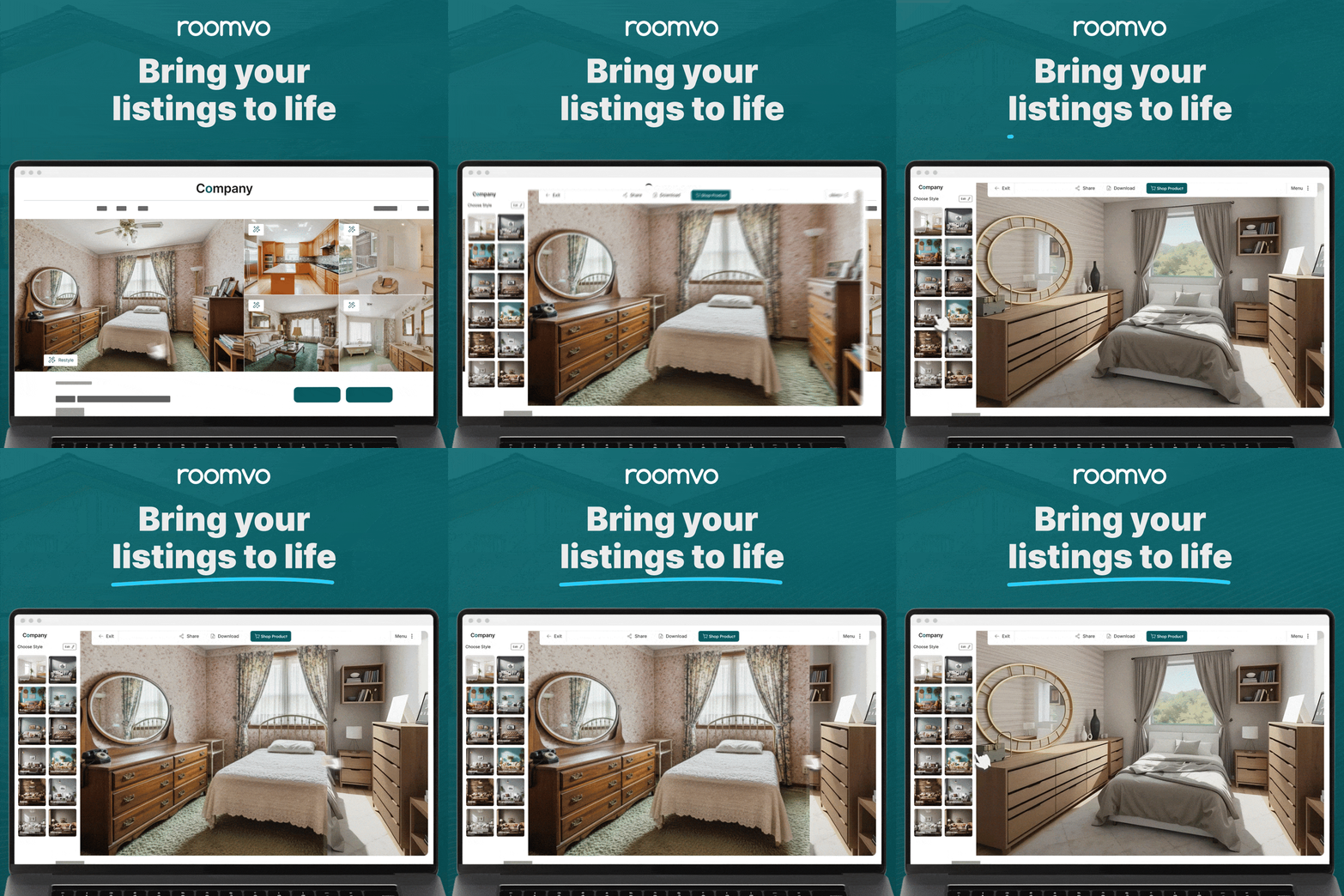
Check out the SCWMLS Roomvo Website Now!

Upcoming Roomvo Webinars (Hosted by RASCW/SCWMLS)

Join us for a quick overview of Roomvo, now live on SCWMLS, and see how this interactive visualizer helps buyers imagine the true potential of every listing. Learn simple, practical ways to use this new tool to create more engaging listing presentations and confident buyer conversations.

After registering, you will receive a confirmation email with information on how to join the meeting.

How to Access Roomvo

In Paragon:

  1. Log in to Paragon and click Search in the top banner.
  2. Choose your class and enter your search criteria to display listings.
  3. Open a listing and locate Actions (Note: If you don’t have the Actions as part of your spreadsheet view you can add it or click Actions next to More at the top of the spreadsheet once you have chosen a listing).
  4. Select “Redesign with Roomvo” to launch the visualizer.

Note: Roomvo works only with Active, Residential SCWMLS listings at this time. Please stay tuned for more Roomvo updates coming soon!

In Paragon Connect (Mobile):

  1. Open a listing and access Roomvo through the Third-Party Integrations icon or the Quick Action link in the detail view.

2. Clicking on the Third-Party Integrations Icon displays this menu 

In Collab Center / CollabLink:

  1. From the listing detail page, use the Overflow Menu → Helpful Links or the Quick Action option to select Design with Roomvo.

Questions? Contact Roomvo at claire@leaptools.com or 647-225-1733 to get started.