Oct
26
2023
Customize your Quick Search
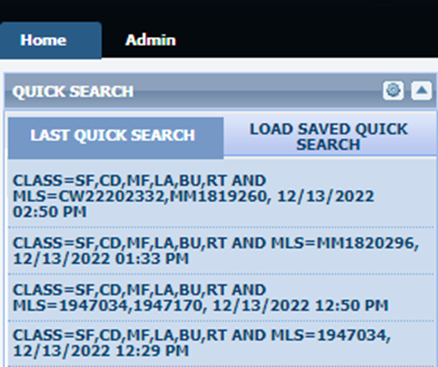
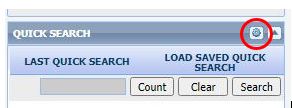
The Quick Search widget on the Paragon home page is a great tool to quickly find listings. There are only a few criteria to choose from, but you can add and remove things to suit your own search needs. If you are searching for listings for a specific Sale Agent for example, you can add that field. Click the gear wheel icon at the top:
This will bring up a window where you can add, remove, and move search fields. The Available Fields column on the left shows fields you can add. The Selected Fields column on the right shows the current fields on your Quick Search.
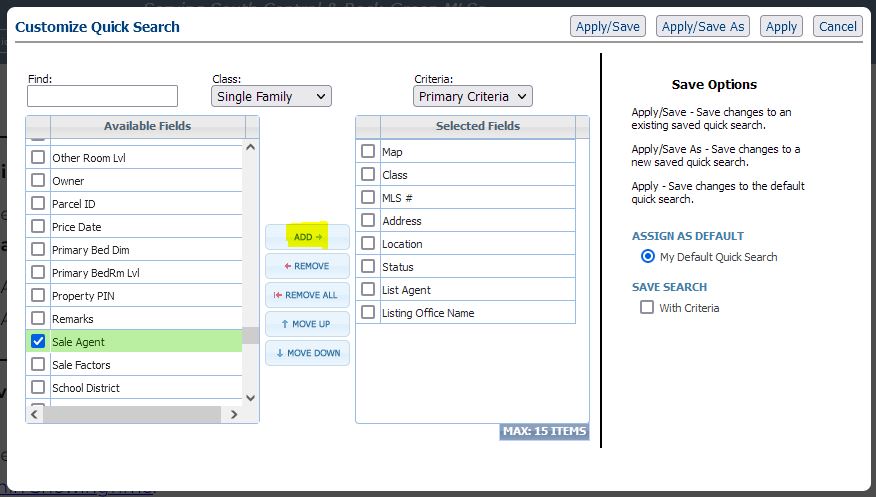
Find the search field you want to add on the left column, click it to highlight, then click the ADD button. Click the Class dropdown to add fields from other property classes. Fields can be removed from the Selected fields by highlighting it and clicking the REMOVE button. You can also reorder the selected fields by dragging and dropping. You can have a maximum of 15 different fields. When you are done click Apply.